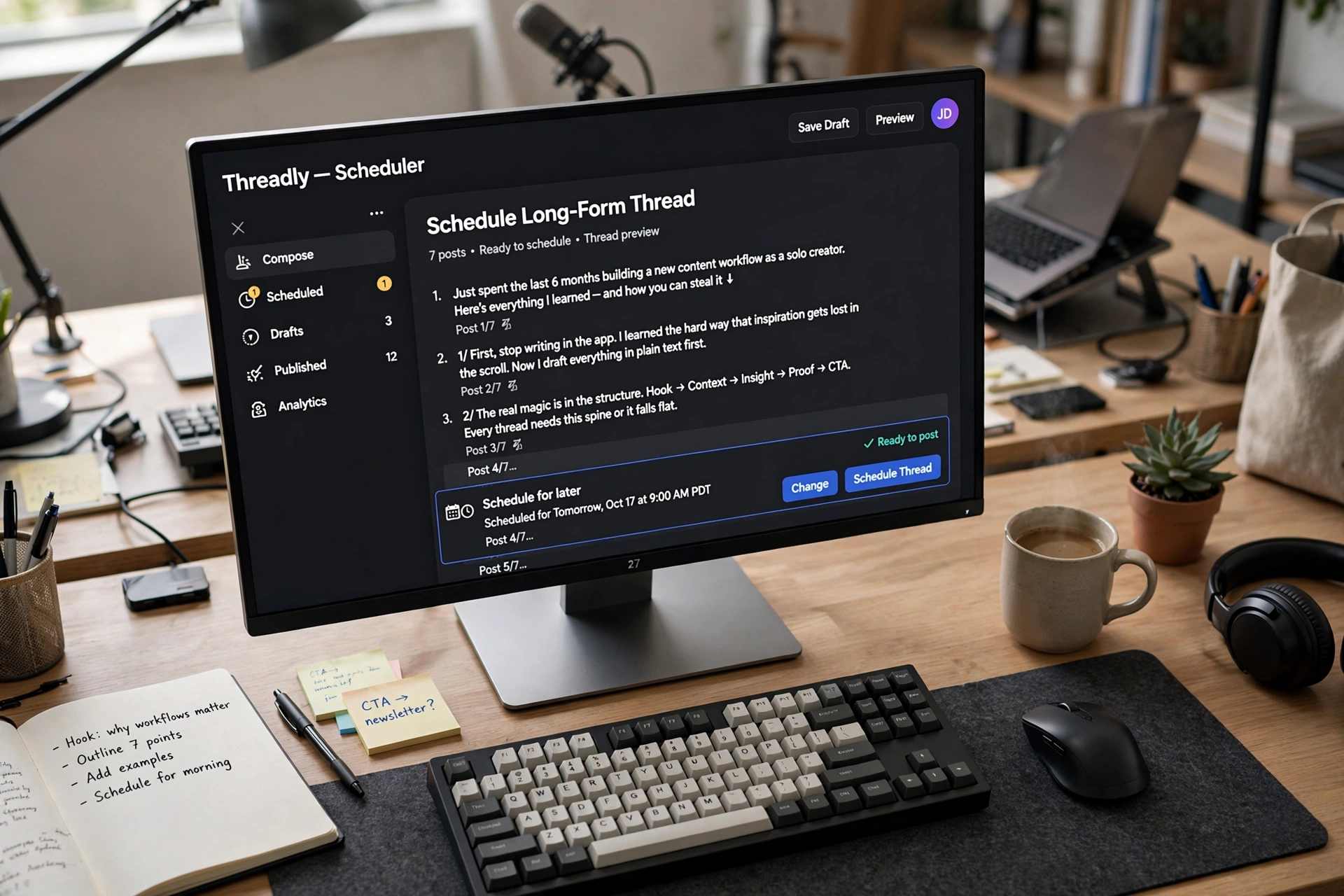
Your best thread ideas come at 2 AM. Your audience is awake at 9 AM. Scheduling closes that gap. Learning how to schedule X Twitter threads in advance is one of the highest-leverage habits a creator, founder, or marketer can build — and in this guide, I will walk you through the entire workflow: writing threads in batches, previewing them exactly as they will appear, choosing the right posting times, and making sure your newsletter or product link rides along when a thread goes viral.
If you write threads but still post them live whenever the mood strikes, this guide gives you a repeatable Sunday system that keeps your X account active every day without you being glued to the app.
Why Threads Are X’s Highest-Engagement Format
Single posts disappear fast. Threads do something different: every reply in the chain re-surfaces the original post in followers’ feeds, which means one good idea can earn impressions over hours instead of minutes. When someone retweets post #4 of your thread, the first post gets another wave of attention.
This is why knowing how to schedule X Twitter threads matters more than knowing how to schedule single posts. A thread takes longer to write, carries more of your thinking, and deserves to go live when your audience is actually watching — not at 1:47 AM when you happened to finish writing it.
Think about the practical side. Threads let you teach, tell stories, break down a process, or make an argument with evidence — which is why creators who master how to schedule X Twitter threads treat each one as a mini asset launch. They are the format of the explainer, the build-in-public update, and the hot take that needs room. Creators who publish threads consistently build authority faster than creators who only drop one-liners, simply because each thread gives the audience more reasons to follow.
The catch: threads are also the most fragile format to publish live. Post thread part 3 before part 2 finishes, or get interrupted mid-publish, and the whole thing reads out of order. Mastering how to schedule X Twitter threads eliminates this risk entirely — the full thread is queued, ordered, and released on time without you touching your phone.
There is another angle most people miss. Consistent threads train the algorithm and your audience to expect your content. When you show up daily with substantive threads, followers start looking for you. That compounding only works with consistency, and consistency is nearly impossible if every thread depends on you being awake, online, and inspired at the right moment. Automation is what makes the schedule real.
Writing Threads in Batches (The 5-Thread Sunday Method)
Most people learn how to schedule X Twitter threads and then never use the skill, because they still write one thread at a time, whenever inspiration hits. Scheduling works best paired with batch writing: one dedicated block where you draft several threads in one sitting.
Here is the method I recommend, the 5-Thread Sunday:
- Collect ideas all week. Keep a running note on your phone. Every time a thread idea pops into your head, write one line about it. By Sunday, you will have 8-12 raw ideas instead of zero.
- Pick the five strongest. Not every idea deserves a thread. Score them on one question: “Would I click into this?” Keep five, shelve the rest for next week.
- Draft all five in one sitting. Aim for 90 minutes. Write the hook first — the opening post decides whether anyone reads the rest — then 5-10 follow-up posts. Keep each post under the character limit with room to spare so your scheduler never truncates anything.
- Edit on Monday morning. Fresh eyes catch clunky phrasing. Tighten each post, check that the thread flows logically, and verify every claim. You should never need to invent statistics or quotes to make a thread interesting — cut anything you cannot stand behind.
- Schedule the whole week. Slot each thread into a prime time slot (more on timing below) across the coming days. Your week’s content is done before the week starts.
Why five? One thread per weekday gives your account a strong daily presence while leaving the weekend free for replies and real-time engagement. The heavy lifting stays automated; you stay human.
Batch writing feels slower at first. Your first Sunday takes two hours; by week four, 60-90 minutes. Once you know how to schedule X Twitter threads, the weekly task is identical: hooks, bodies, CTAs, schedule.
One more tip — write your hooks last if you struggle with them. Draft the meat of the thread first, then go back and write the opening post once you know exactly what the thread delivers. The best hooks promise a specific payoff: “5 mistakes that killed my first product launch” beats “some thoughts on startups” every single time.
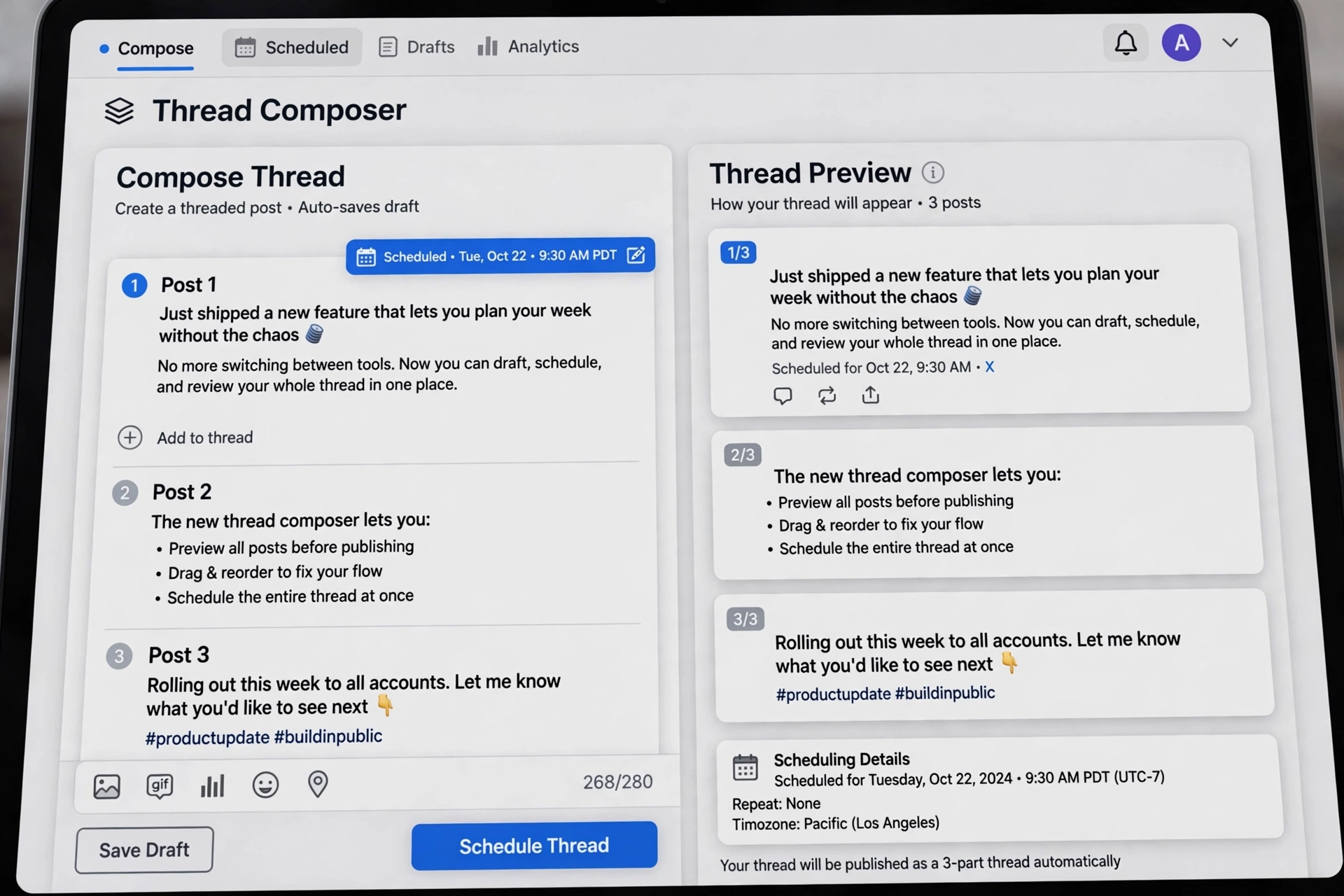
Previewing Threads Exactly as They’ll Appear
The step that separates amateur scheduling from professional scheduling: preview every thread before it queues. A thread that looks perfect in your notes app can look broken on X.
What to check in the preview:
- Character counts on every post. Each post in the thread must fit within the limit. If a scheduler auto-truncates or the post fails, your thread publishes with a hole in the middle.
- Post order. Numbered threads (“2/” “3/”) make broken ordering obvious to readers. Previewing catches the drag-and-drop mistake before your audience does.
- Line breaks and formatting. Short paragraphs and clean line breaks are the difference between a thread people read and a wall of text they scroll past. Make sure what you wrote is what renders.
- Links and media. If a post carries an image or a link, confirm it is attached to the right post in the chain — a misplaced image mid-thread is confusing.
- The hook. Read the first post as a stranger would. If it does not earn the click, rewrite it now, not after it underperforms.
X’s own documentation covers what the native composer supports and its current limits — check the official X Help Center before choosing a tool. Then pick a scheduler that fills the gaps, especially for creators learning how to schedule X Twitter threads with full ordered chains.
A good scheduling tool shows you the thread exactly as followers will see it — numbered, ordered, with media attached. This preview step takes two minutes and saves you from the two most common thread failures: truncated posts and out-of-order publishing. It is what separates creators who truly know how to schedule X Twitter threads from those who merely queue posts. For a fuller look at automation workflows beyond threads, the Alcashlabs blog covers scheduling strategies for posts, reels, and stories across platforms.
For creators serious about how to schedule X Twitter threads as a weekly system — not a one-off chore — here is the tool built exactly for this workflow:

Stay consistent on X without living on the app — automate posting, scheduling and account workflows from your desktop.
$70/year
Timing: When Threads Get the Most Engagement
Knowing how to schedule X Twitter threads includes knowing when to release them. Posting a masterpiece at 3 AM guarantees only one thing: your audience will not see it.
Start with this principle: post when your audience is scrolling, not when you are writing. For most English-speaking audiences, the strong windows are weekday mornings (7-9 AM audience-local time), lunch hours (12-1 PM), and early evenings (5-7 PM). Threads are longer reads, so morning and lunch slots tend to perform especially well.
But generic “best time to post” advice is a starting point, not an answer — your audience has its own rhythm. Schedule consistently at a few candidate times for 2-3 weeks, compare engagement per thread, and double down on your own winners. Let your own data beat any blog post’s guesses.
A few timing rules that hold up across audiences:
- Do not cluster threads. Give each thread at least 6-8 hours of breathing room. Two threads in one morning cannibalize each other — the second one buries the first.
- Match thread length to the slot. Anyone who knows how to schedule X Twitter threads for growth drops the longest, meatiest ones in the morning. Drop your longest, meatiest threads in the morning when attention is freshest. Save shorter threads and one-liners for the evening.
- Respect time zones. If your audience spans continents, pick slots that overlap the most active hours of your largest segment — or stagger threads across days so different segments get prime placement.
- Watch day-of-week patterns. B2B and professional content tends to land better Tuesday through Thursday. Storytelling and personal content can thrive on weekends, when the feed is quieter and competition is lower.
The beautiful thing about learning how to schedule X Twitter threads is that timing becomes a decision instead of a coincidence. You are not posting at 9 AM because you happened to be awake — you are posting at 9 AM because that is when your audience shows up. That single shift, repeated weekly, turns a thread habit into a growth habit.
Auto-Plugging Your Newsletter or Product on Viral Threads
A thread that goes viral is a once-in-a-while event — and it is wasted if it does not lead anywhere. The last post of every thread should give interested readers somewhere to go: your newsletter signup, your free resource, or your product page.
This is the part most creators forget, because when you post live at midnight you are too tired to think about the CTA. Creators who study how to schedule X Twitter threads properly build the CTA into the template instead of trusting their memory. When you schedule, the CTA is part of the template. Build it into your Sunday workflow: every thread draft ends with a final post that plugs one thing. Not three things. One.
CTA formats that work without feeling salesy:
- The resource plug: “I put the full checklist from this thread into a free PDF — grab it here: [link]”
- The newsletter plug: “I share one thread like this every week in my newsletter. Join 5,000+ readers: [link]”
- The product plug: “This workflow is exactly what [product] automates. Try it free: [link]”
Notice the pattern: each CTA promises continuity. The thread was the sample; the link is the full product. Readers who just consumed 10 posts of your best thinking are at peak interest — that final post converts curiosity into subscribers and customers. An illustrative example: a creator threads about their morning routine, ends with a link to a free habit-tracker template, and that template page becomes their highest-traffic signup source for months.
Keep the plug honest. Anyone learning how to schedule X Twitter threads for growth should treat the final post as a promise: it must match what the thread actually delivered. If your thread taught a genuinely useful method and you understand how to schedule X Twitter threads with testing in mind and your product genuinely automates part of that method, saying so is not spam — it is the natural next step. What kills trust is the bait-and-switch: a thread that promises value and ends with an unrelated product pitch. Match the plug to the thread’s topic and your conversion rate will thank you.
One practical note: because the CTA goes out automatically with the thread, you can A/B test it. Run the same thread topic twice, months apart, with two different final posts, and see which CTA earned more clicks — you are comparing two planned releases, not two midnight impulses.

For a step-by-step video walkthrough of setting up automation, watch @alcashzone.
Ready to put your posting on autopilot?
Join the businesses already saving hours every week with AlcashX.
Or learn more first.
FAQ: How to Schedule X Twitter Threads
Common questions about how to schedule X Twitter threads, answered straight:
Can you schedule threads natively on X?
X’s native scheduler handles single posts, not full threads with ordered replies — this is the main reason people look up how to schedule X Twitter threads in a dedicated tool. If you want to queue a multi-post thread that publishes in the correct order automatically, you need a third-party scheduling tool built for it — one that lets you compose, preview, and queue the entire chain as a single unit.
How far in advance should I schedule threads?
A week ahead is the sweet spot for most creators who know how to schedule X Twitter threads: write and schedule on Sunday, let the week run itself. Scheduling a full month ahead is possible, but threads about fast-moving topics can go stale — keep evergreen threads in a longer queue and time-sensitive ones within a week or two.
Will scheduled threads get less engagement than live posts?
No. X does not penalize scheduled content; engagement depends on content quality and posting time. The process of learning how to schedule X Twitter threads well is really about buying yourself the two things live posting cannot give you: perfect timing and zero errors. In fact, scheduled threads often outperform live ones precisely because they go out at optimal times instead of whenever you happened to finish writing. What hurts engagement is inconsistent posting — and scheduling is the cure for that.
What is the best number of posts in a thread?
It depends on the idea, but 6-12 posts is a reliable range. Fewer than 5 and you could have made it a single post; more than 15 and readers start dropping off unless the story is genuinely gripping. Let the content decide — pad threads never outperform tight ones.
Should I reply to comments on a scheduled thread?
Absolutely — this is non-negotiable. Knowing how to schedule X Twitter threads does not replace being present; it buys you the time to be present. The thread publishes itself, but engagement is still your job. Block 20-30 minutes after each thread goes live to reply to comments, answer questions, and quote-post the best responses. Scheduled publishing plus live engagement is the combination that actually grows accounts.
Ready to stop posting threads at midnight? AlcashX lets you compose, preview, and schedule full X threads from your Windows desktop, so your best ideas go live when your audience is actually watching.
— Team Alcashlabs